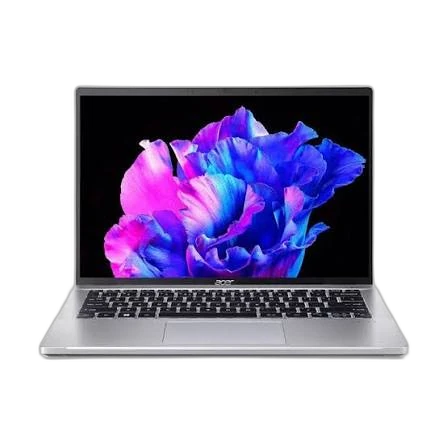

Choose Swift Go 14 if you need:
- Processor Model at Core Ultra 7 (vs Intel Core i7 7700HQ 2.8GHz)
- Installed Memory at 16 GB (vs 8 GB)
- Storage Capacity at 512 GB (vs 128 GB)
laptopedia
Side-by-side specification comparison of two reference models
A full side-by-side comparison of reference models Swift Go 14 and ROG Strix GL502VM within the same category.
Side-by-side specification comparison of two reference models
| Specification | Swift Go 14 | ROG Strix GL502VM |
|---|---|---|
| Price | Not for sale | Not for sale |
| General | ||
| Brand | Acer | ASUS |
| Product Family | Swift | ROG |
| Model | Swift Go 14 | ROG Strix GL502VM |
| Model Number | — | GL502VM |
| Launch Year | 2025 year | 2017 year |
| Form Factor | Clamshell | Clamshell |
| Laptop Category | Mainstream | Gaming |
| Color | — | Black |
| Operating System | — | Windows 10 |
| Operating System Architecture | 64-bit | 64-bit |
| Processor | ||
| Processor Manufacturer | Intel | Intel |
| Processor Family | Intel Core Ultra 7 | Intel Core i7 |
| Processor Model | Core Ultra 7 | Intel Core i7 7700HQ 2.8GHz |
| Processor Generation | — | 7th Gen |
| CPU Architecture | x86-64 | x86-64 |
| CPU Process Node | — | 14 nm |
| CPU Cores | — | 4 cores |
| Efficiency Cores | — | 0 cores |
| CPU Threads | — | 8 threads |
| CPU Base Clock | — | 2.8 GHz |
| CPU Max Boost Clock | — | 3.8 GHz |
| L3 Cache | — | 6 MB |
| Processor Base Power | — | 45 W |
| CPU Manageability Technology | — | Not Intel vPro eligible |
| AI / NPU | ||
| NPU | Yes | — |
| NPU Model | Intel AI Boost | — |
| Graphics | ||
| Graphics Type | Integrated | Discrete |
| GPU Manufacturer | Intel | NVIDIA |
| GPU Model | — | Nvidia GeForce GTX 1060 |
| GPU Architecture | — | Pascal |
| VRAM Capacity | 0 GB | 6 GB |
| VRAM Type | Shared system memory | GDDR5 |
| Maximum External Displays | — | 3 displays |
| Maximum External Resolution | — | 3840 x 2160 @ 60Hz |
| Memory | ||
| Installed Memory | 16 GB | 8 GB |
| Memory Type | — | DDR4 |
| Memory Upgradeable | — | Yes |
| Memory Channels | — | 2 |
| Storage | ||
| Primary Storage Type | SSD | SSD |
| Storage Capacity | 512 GB | 128 GB |
| Storage Interface | — | PCIe NVMe |
| Storage PCIe Generation | — | PCIe 3.0 |
| Storage Form Factor | — | M.2 2280 |
| Installed Storage Drives | 1 drives | 2 drives |
| Maximum Storage Drives | — | 2 drives |
| M.2 Storage Slots | — | 1 slots |
| 2.5-inch Drive Bay | — | Yes |
| RAID Support | — | — |
| Card Reader | — | Yes |
| Card Reader Formats | — | SD, SDHC |
| Card Reader Standard | — | SD/SDHC/SDXC |
| Display | ||
| Display Size | — | 15.6 inch |
| Display Resolution | — | 1920 x 1080 |
| Resolution Class | — | FHD |
| Display Technology | — | IPS LCD |
| Panel Type | — | IPS |
| Refresh Rate | — | 120 Hz |
| Variable Refresh Rate | — | Yes |
| Aspect Ratio | — | 16:9 |
| Display Finish | — | Anti-glare |
| Adaptive Sync Technology | — | NVIDIA G-SYNC |
| Camera & Biometrics | ||
| Webcam Resolution | — | 720p |
| Camera Features | — | HD webcam |
| Audio | ||
| Audio Technology | — | SonicMaster |
| Audio Jack | — | Yes |
| Keyboard & Input | ||
| Keyboard Type | — | Chiclet keyboard |
| Keyboard Backlight | — | Yes |
| Keyboard RGB Zones | — | 0 zones |
| Numeric Keypad | — | Yes |
| Touchpad Type | — | Multi-touch touchpad |
| Wireless & Networking | ||
| Wi-Fi Standard | — | Wi-Fi 5 |
| Wi-Fi IEEE Standard | — | 802.11ac |
| Wi-Fi Bands | — | 2.4 GHz, 5 GHz |
| Wi-Fi Spatial Streams | — | 2x2 |
| Bluetooth Version | — | 4.1 |
| Ethernet | — | Yes |
| Ethernet Speed | — | 1Gbps |
| WWAN | — | No |
| Cellular Standard | — | — |
| SIM Slot | — | — |
| Ports & Expansion | ||
| USB Type-A Port Count | — | 2 ports |
| USB Type-A Specifications | — | USB 5Gbps |
| USB Type-C Port Count | — | 1 ports |
| USB Type-C Specifications | — | USB 5Gbps |
| USB4 Port Count | — | 0 ports |
| Thunderbolt Port Count | — | 0 ports |
| HDMI Port Count | — | 1 ports |
| HDMI Version | — | 2 |
| DisplayPort Output | — | Mini DisplayPort |
| RJ-45 Port Count | — | 1 ports |
| 3.5 mm Audio Combo Port Count | — | 1 ports |
| SD Card Slot Count | — | 1 ports |
| Smart Card Reader | — | No |
| Security Lock Slot | — | Yes |
| Internal PCIe Slots | — | M.2 storage and WLAN slots only |
| Battery & Power | ||
| Battery Chemistry | — | Li-Ion |
| Power Connector | — | DC barrel |
| Dimensions & Build | ||
| Thickness | — | 23.5 mm |
| Weight | — | 2.3 kg |
| IP Rating | — | No rated ingress protection |
| Security & Manageability | ||
| BIOS / UEFI Password Support | — | Yes |
| Drive Password Support | — | Yes |
| Secure Boot | — | Yes |
| Enterprise Manageability | — | No Intel vPro platform eligibility |
| Smart Card Support | — | No |
| BIOS Recovery / Self-Healing | — | ASUS BIOS recovery utility |
| Certifications & Sustainability | ||
| RoHS Compliance | — | Yes |
| Environment & Warranty | ||
| Operating Temperature | — | 5 to 35 °C |
Swift Go 14 and ROG Strix GL502VM share specifications such as Form Factor (Clamshell), Operating System Architecture (64-bit), Processor Manufacturer (Intel), CPU Architecture (x86-64).
The main differences: Processor Model (Swift Go 14: Core Ultra 7, ROG Strix GL502VM: Intel Core i7 7700HQ 2.8GHz); Installed Memory (Swift Go 14: 16 GB, ROG Strix GL502VM: 8 GB); Storage Capacity (Swift Go 14: 512 GB, ROG Strix GL502VM: 128 GB).
Swift Go 14 may suit users who need its differing values, while ROG Strix GL502VM benefits those who need its paired strengths. Review the specs table above before deciding.