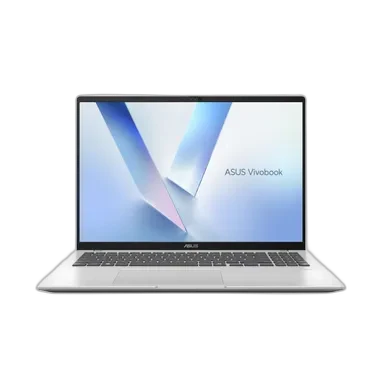
Choose Vivobook 16 if you need:
- Processor Model at Intel Core Ultra 5 225H (vs Intel Core Ultra 5 226V)
- GPU Model at Intel Graphics (vs Intel Arc 130V)
- Display Size at 16 inch (vs 13.4 inch)
laptopedia
Side-by-side specification comparison of two reference models
A full side-by-side comparison of reference models Vivobook 16 and XPS 13 9350 within the same category.
Side-by-side specification comparison of two reference models
| Specification | Vivobook 16 | XPS 13 9350 |
|---|---|---|
| Price | Not for sale | Not for sale |
| General | ||
| Brand | ASUS | Dell |
| Product Family | VivoBook | XPS |
| Model | Vivobook 16 | XPS 13 |
| Model Number | X1607CA-MB139WS | 9350 |
| Part Number / SKU | 90NB15A1-M007L0 | — |
| Launch Year | 2025 year | 2024 year |
| Form Factor | Clamshell | Clamshell |
| Laptop Category | Budget | Premium / Ultraportable |
| Color | Quiet Blue | — |
| Operating System | Windows 11 Home | — |
| Operating System Architecture | 64-bit | 64-bit |
| Processor | ||
| Processor Manufacturer | Intel | Intel |
| Processor Family | Intel Core Ultra 5 | Intel Core Ultra 5 |
| Processor Model | Intel Core Ultra 5 225H | Intel Core Ultra 5 226V |
| Processor Generation | Intel Core Ultra Series 2 | Intel Core Ultra Processors (Series 2) |
| CPU Architecture | x86-64 | x86-64 |
| CPU Process Node | 3 nm | 3 nm |
| CPU Cores | 14 cores | 8 cores |
| Performance Cores | 4 cores | 4 cores |
| Efficiency Cores | 8 cores | 4 cores |
| CPU Threads | 14 threads | 8 threads |
| CPU Base Clock | 1.7 GHz | 2.1 GHz |
| CPU Max Boost Clock | 4.9 GHz | 4.5 GHz |
| L3 Cache | 18 MB | 8 MB |
| Processor Base Power | 28 W | 17 W |
| Maximum Processor Power | 115 W | 37 W |
| CPU Manageability Technology | Intel Standard Manageability | Intel Standard Manageability (ISM) |
| AI / NPU | ||
| NPU | Yes | Yes |
| NPU Model | Intel AI Boost | Intel AI Boost |
| NPU Performance | 13 TOPS | 40 TOPS |
| Platform AI Performance | 83 TOPS | 97 TOPS |
| Copilot+ PC | — | Yes |
| Graphics | ||
| Graphics Type | Integrated | Integrated |
| GPU Manufacturer | Intel | Intel |
| GPU Model | Intel Graphics | Intel Arc 130V |
| VRAM Capacity | 0 GB | 0 GB |
| VRAM Type | Shared system memory | Shared system memory |
| Maximum External Displays | — | 3 displays |
| Maximum External Resolution | — | Up to one 8K display via Thunderbolt 4 |
| Memory | ||
| Installed Memory | 16 GB | 16 GB |
| Maximum Memory | 32 GB | 16 GB |
| Memory Type | DDR5 | LPDDR5x |
| Memory Speed | 5600 MT/s | 8533 MT/s |
| Memory Form Factor | Onboard + SO-DIMM | Onboard |
| Memory Slots | 1 slots | 0 slots |
| Memory Slots Used | 0 slots | 0 slots |
| Memory Upgradeable | Yes | No |
| Memory Channels | — | Dual-channel |
| Storage | ||
| Primary Storage Type | SSD | SSD |
| Storage Capacity | 512 GB | 512 GB |
| Storage Interface | PCIe NVMe | PCIe NVMe |
| Storage PCIe Generation | PCIe 4.0 | PCIe Gen4 |
| Storage Form Factor | M.2 | M.2 2230 |
| Installed Storage Drives | 1 drives | 1 drives |
| Maximum Storage Drives | 1 drives | 1 drives |
| M.2 Storage Slots | 1 slots | 1 slots |
| Display | ||
| Display Size | 16 inch | 13.4 inch |
| Display Resolution | 1920 x 1200 | — |
| Resolution Class | WUXGA | — |
| Display Technology | IPS LCD | — |
| Panel Type | IPS-level | WVA |
| Refresh Rate | 60 Hz | — |
| Display Brightness | 300 nits | — |
| Aspect Ratio | 16:10 | — |
| Display Finish | Anti-glare | — |
| Viewing Angle | — | 85° horizontal / 85° vertical degree |
| Screen-to-Body Ratio | 89 % | — |
| Low Blue Light Certification | — | Eyesafe low blue light |
| Camera & Biometrics | ||
| Webcam Resolution | 1080p | 1080p FHD RGB |
| Webcam Frame Rate | — | 30 fps |
| IR Camera | Yes | Yes |
| Camera Privacy Shutter | Yes | — |
| Windows Hello Face | Yes | Yes |
| Fingerprint Reader | — | Yes |
| Fingerprint Reader Location | — | Power button |
| Presence Detection | — | Yes |
| Camera Features | FHD IR camera; Windows Hello; privacy shutter | 360p IR camera; CMOS sensor |
| Audio | ||
| Speaker Configuration | Built-in speakers | Quad speakers: 2 tweeters + 2 woofers |
| Speaker Power | — | 2 W x 4 (8 W total) W |
| Audio Technology | SonicMaster | Realtek ALC1318 |
| Microphone Configuration | Array microphone | Dual digital-array microphones |
| Audio Jack | Yes | — |
| Keyboard & Input | ||
| Keyboard Type | Backlit Chiclet Keyboard | Backlit keyboard with capacitive touch function row and Copilot key |
| Keyboard Backlight | Yes | Yes |
| Keyboard RGB Zones | — | — |
| Numeric Keypad | Yes | — |
| Key Travel | 1.7 mm | — |
| Copilot Key | Yes | Yes |
| Touchpad Type | Precision Touchpad | Multi-touch precision touchpad with integrated scrolling |
| Touchpad Dimensions | — | 112.3 x 64.15 mm |
| Wireless & Networking | ||
| Wi-Fi Standard | Wi-Fi 6 | Wi-Fi 7 |
| Wi-Fi IEEE Standard | 802.11ax | 802.11be |
| Wi-Fi Bands | Dual-band | 2.4 GHz, 5 GHz, 6 GHz |
| Wi-Fi Spatial Streams | 1x1 | 2x2 |
| Wi-Fi Module | — | Intel Killer Wi-Fi 7 1750i (BE201) |
| Bluetooth Version | 5.2 | 5.4 |
| WWAN | No | No |
| Ports & Expansion | ||
| USB Type-A Port Count | 2 ports | 0 ports |
| USB Type-A Specifications | USB 3.2 Gen 1 (5 Gbps) | — |
| USB Type-C Port Count | 2 ports | 2 ports |
| USB Type-C Specifications | USB 3.2 Gen 1 (5 Gbps), DisplayPort, Power Delivery | 2x Thunderbolt 4 / USB4 40 Gbps with Power Delivery and DisplayPort 1.4 |
| USB4 Port Count | 0 ports | 2 ports |
| USB4 Speed | — | 40 Gbps |
| Thunderbolt Port Count | 0 ports | 2 ports |
| Thunderbolt Version | — | Thunderbolt 4 |
| HDMI Port Count | 1 ports | 0 ports |
| HDMI Version | 1.4 | — |
| DisplayPort Output | Yes | DisplayPort 1.4 over USB-C |
| RJ-45 Port Count | 0 ports | 0 ports |
| 3.5 mm Audio Combo Port Count | 1 ports | 0 ports |
| SD Card Slot Count | 0 ports | 0 ports |
| microSD Card Slot Count | 0 ports | 0 ports |
| Smart Card Reader | No | No |
| Internal PCIe Slots | 1x M.2 2280 PCIe 4.0 x4 | 1x M.2 2230/2280 PCIe slot |
| Battery & Power | ||
| Battery Capacity | 42 Wh | 55 Wh |
| Battery Cells | 3 cells | 3 cells |
| Battery Chemistry | Li-ion | Smart lithium-ion polymer |
| Fast Charging | Yes | — |
| Fast Charge Level | 60 % | — |
| Fast Charge Time | 49 min | — |
| Power Adapter | 65 W | 60 W |
| Power Connector | USB-C | USB Type-C |
| USB-C Charging | Yes | Yes |
| USB Power Delivery Version | — | USB Power Delivery |
| Maximum USB-C Charging Power | 65 W | 60 W |
| Dimensions & Build | ||
| Width | 357 mm | 295.3 mm |
| Depth | 250.6 mm | 199.1 mm |
| Thickness | 19.9 mm | — |
| Weight | 1.88 kg | — |
| Chassis Material | Plastic top case | CNC-machined aluminum |
| Hinge Opening Angle | 180 degree | — |
| MIL-STD Testing | US MIL-STD 810H military-grade standard | — |
| Security & Manageability | ||
| TPM | Firmware TPM | TPM 2.0 FIPS/TCG certified |
| Microsoft Pluton | — | Yes |
| BIOS / UEFI Password Support | Yes | Yes |
| Drive Password Support | — | Yes |
| Secure Boot | — | Yes |
| Enterprise Manageability | Intel Standard Manageability | — |
| Smart Card Support | No | External reader supported |
| BIOS Recovery / Self-Healing | — | Dell BIOS Recovery from Hard Drive; BIOSConnect |
| Sensors | ||
| Ambient Light Sensor | — | Yes |
| Hall Sensor | — | Yes |
| Certifications & Sustainability | ||
| RoHS Compliance | Yes | — |
| Environment & Warranty | ||
| Operating Temperature | — | 0 to 35 °C |
| Operating Humidity | — | 10 to 90 % RH |
| Storage Temperature | — | -40 to 65 °C |
| Warranty | 1 years | — |
| Warranty Type | Manufacturer Limited Warranty | — |
Vivobook 16 and XPS 13 9350 share specifications such as Installed Memory (16 GB), Storage Capacity (512 GB), Form Factor (Clamshell), Operating System Architecture (64-bit).
The main differences: Processor Model (Vivobook 16: Intel Core Ultra 5 225H, XPS 13 9350: Intel Core Ultra 5 226V); GPU Model (Vivobook 16: Intel Graphics, XPS 13 9350: Intel Arc 130V); Display Size (Vivobook 16: 16 inch, XPS 13 9350: 13.4 inch).
Vivobook 16 may suit users who need its differing values, while XPS 13 9350 benefits those who need its paired strengths. Review the specs table above before deciding.