laptopedia

Side-by-side specification comparison of two reference models

⁦Compare Zenbook S 14 vs Spin SP111-31⁩

A full side-by-side comparison of reference models Zenbook S 14 and Spin SP111-31 within the same category.

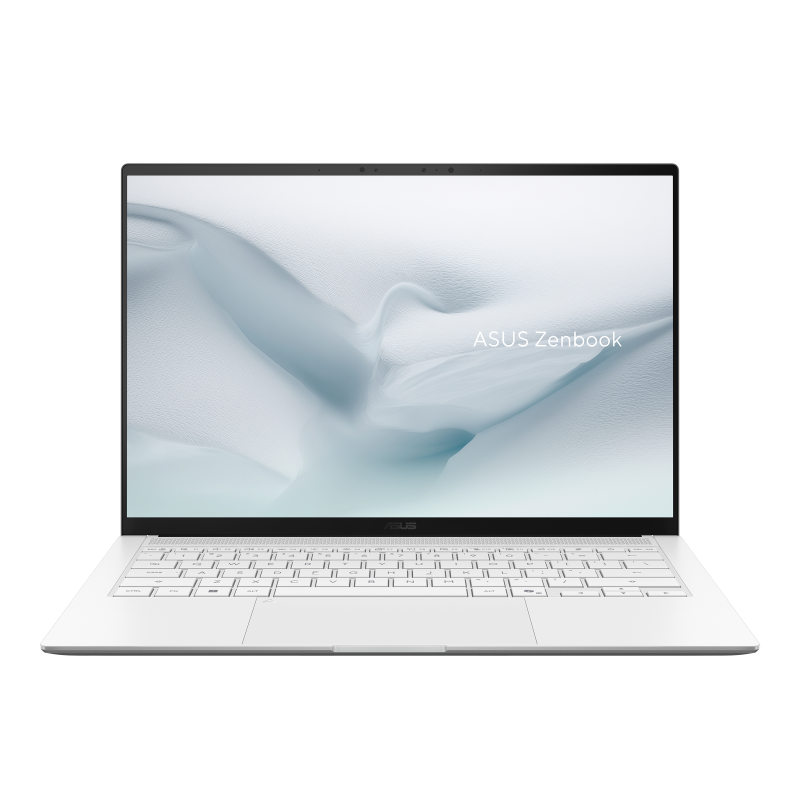
Reference model ⁦ASUS Zenbook S 14⁩

⁦Zenbook S 14⁩

ASUS

Not for sale

View model
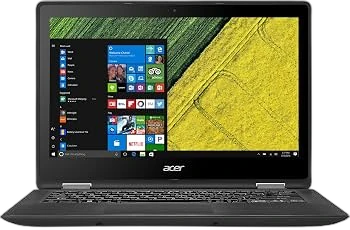
Reference model ⁦Acer Spin SP111-31⁩

⁦Spin SP111-31⁩

Acer

Not for sale

View model

Specifications

Side-by-side specification comparison of two reference models

Specification ⁦Zenbook S 14⁩ ⁦Spin SP111-31⁩
Price Not for sale Not for sale
General
Brand ASUS Acer
Product Family Zenbook Spin
Model ⁦Zenbook S 14⁩ ⁦Spin SP111-31⁩
Model Number ⁦UX5406SA⁩
Launch Year ⁦2025 year⁩ ⁦2017 year⁩
Form Factor Clamshell ⁦2-in-1 Convertible⁩
Laptop Category Premium / Ultraportable ⁦2-in-1⁩
Operating System ⁦Windows 10⁩
Operating System Architecture ⁦64-bit⁩ ⁦64-bit⁩
Processor
Processor Manufacturer Intel Intel
Processor Family ⁦Intel Core Ultra 7⁩ Intel Celeron
Processor Model ⁦Intel Core Ultra 7 258V⁩ ⁦Intel Celeron Dual Core N3350 2.0GHz⁩
Processor Generation ⁦Intel Core Ultra Series 2⁩ Apollo Lake
CPU Architecture ⁦x86-64⁩ ⁦x86-64⁩
CPU Process Node ⁦3 nm⁩ ⁦14 nm⁩
CPU Cores ⁦8 cores⁩ ⁦2 cores⁩
Performance Cores ⁦4 cores⁩
Efficiency Cores ⁦4 cores⁩ ⁦0 cores⁩
CPU Threads ⁦8 threads⁩ ⁦2 threads⁩
CPU Base Clock ⁦2.2 GHz⁩ ⁦2 GHz⁩
CPU Max Boost Clock ⁦4.8 GHz⁩ ⁦2.4 GHz⁩
L2 Cache ⁦2 MB⁩
L3 Cache ⁦12 MB⁩
Processor Base Power ⁦17 W⁩ ⁦6 W⁩
Maximum Processor Power ⁦37 W⁩
CPU Manageability Technology Intel Standard Manageability
AI / NPU
NPU Yes
NPU Model Intel AI Boost
NPU Performance ⁦47 TOPS⁩
Platform AI Performance ⁦115 TOPS⁩ ⁦0 TOPS⁩
Copilot+ PC Yes
Graphics
Graphics Type Integrated Integrated
GPU Manufacturer Intel Intel
GPU Model ⁦Intel Arc 140V⁩ ⁦Intel HD Graphics 500⁩
GPU Architecture ⁦Xe2⁩
VRAM Capacity ⁦0 GB⁩ ⁦0 GB⁩
VRAM Type Shared system memory Shared system memory
GPU TGP ⁦0 W⁩
Maximum External Displays ⁦4 displays⁩ ⁦2 displays⁩
Maximum External Resolution ⁦3840 x 2160 @ 30 Hz⁩
Memory
Installed Memory ⁦32 GB⁩ ⁦4 GB⁩
Maximum Memory ⁦32 GB⁩ ⁦8 GB⁩
Memory Type ⁦LPDDR5X⁩ ⁦DDR3L SDRAM⁩
Memory Speed ⁦8533 MT/s⁩ ⁦1600 MT/s⁩
Memory Form Factor On-package SO-DIMM
Memory Slots ⁦0 slots⁩ ⁦1 slots⁩
Memory Slots Used ⁦0 slots⁩ ⁦1 slots⁩
Memory Upgradeable No Yes
Memory Channels Dual-channel Single-channel
Storage
Primary Storage Type SSD Flash Storage
Storage Capacity ⁦1024 GB⁩ ⁦32 GB⁩
Storage Interface PCIe NVMe eMMC
Storage PCIe Generation ⁦PCIe 4.0⁩
Storage Form Factor ⁦M.2 2280⁩ Onboard
Installed Storage Drives ⁦1 drives⁩ ⁦1 drives⁩
Maximum Storage Drives ⁦1 drives⁩ ⁦1 drives⁩
M.2 Storage Slots ⁦1 slots⁩ ⁦0 slots⁩
Card Reader Yes
Card Reader Formats microSD; microSDHC; microSDXC
Card Reader Standard microSDXC
Display
Display Size ⁦14 inch⁩ ⁦11.6 inch⁩
Display Resolution ⁦1920 x 1080⁩
Resolution Class FHD
Display Technology OLED IPS LCD
Panel Type OLED IPS
Touchscreen Yes
Refresh Rate ⁦60 Hz⁩
Display Brightness ⁦300 nits⁩
DCI-P3 Color Gamut 100 %
Aspect Ratio 16:10 16:9
Response Time ⁦0.2 ms⁩
Display Finish Glossy
Adaptive Sync Technology
Screen-to-Body Ratio 90 %
Camera & Biometrics
Webcam Resolution ⁦1080p⁩ ⁦720p HD⁩
Webcam Frame Rate ⁦30 fps⁩
IR Camera Yes
Windows Hello Face Yes
Presence Detection Yes
Camera Features ASUS AI Camera; FHD IR with Windows Hello Fixed-focus RGB webcam
Audio
Speaker Configuration ⁦4 speakers⁩ Stereo speakers
Audio Technology Smart Amp Acer TrueHarmony
Microphone Configuration Array microphone Integrated microphone
Audio Jack Yes Yes
Keyboard & Input
Keyboard Type Backlit Chiclet Keyboard Compact keyboard
Keyboard Backlight Yes
Keyboard RGB Zones
Key Travel ⁦1.1 mm⁩
Copilot Key Yes
Touchpad Type Precision Touchpad Multi-touch touchpad
Wireless & Networking
Wi-Fi Standard ⁦Wi-Fi 7⁩ ⁦Wi-Fi 5⁩
Wi-Fi IEEE Standard ⁦802.11be⁩ ⁦IEEE 802.11ac⁩
Wi-Fi Bands Tri-band ⁦2.4 GHz; 5 GHz⁩
Wi-Fi Spatial Streams ⁦2x2⁩ ⁦1x1⁩
Wi-Fi Module ⁦Intel Wi-Fi 7 BE201⁩ ⁦Qualcomm Atheros QCA9377⁩
Bluetooth Version 5.4 ⁦Bluetooth 4.1⁩
WWAN No
Ports & Expansion
USB Type-A Port Count ⁦1 ports⁩ ⁦3 ports⁩
USB Type-A Specifications ⁦USB 3.2 Gen 2 (10 Gbps)⁩ ⁦1x USB 3.0; 2x USB 2.0⁩
USB Type-C Port Count ⁦2 ports⁩ ⁦0 ports⁩
USB Type-C Specifications ⁦Thunderbolt 4, DisplayPort, Power Delivery⁩
USB4 Port Count ⁦2 ports⁩ ⁦0 ports⁩
USB4 Speed ⁦40 Gbps⁩
Thunderbolt Port Count ⁦2 ports⁩ ⁦0 ports⁩
Thunderbolt Version ⁦Thunderbolt 4⁩
HDMI Port Count ⁦1 ports⁩ ⁦1 ports⁩
HDMI Version ⁦2.1 TMDS⁩
DisplayPort Output Yes
RJ-45 Port Count ⁦0 ports⁩ ⁦0 ports⁩
3.5 mm Audio Combo Port Count ⁦1 ports⁩ ⁦1 ports⁩
SD Card Slot Count ⁦0 ports⁩
microSD Card Slot Count ⁦0 ports⁩ ⁦1 ports⁩
Smart Card Reader No
Security Lock Slot Yes
Internal PCIe Slots ⁦1 x M.2 2280 PCIe 4.0 x4⁩
Battery & Power
Battery Capacity ⁦72 Wh⁩ ⁦48 Wh⁩
Battery Cells ⁦4 cells⁩ ⁦4 cells⁩
Battery Chemistry Li-ion Lithium-ion
Battery Life ⁦27 hours⁩ ⁦9 hours⁩
Fast Charging Yes
Fast Charge Level 60 %
Fast Charge Time ⁦49 min⁩
Power Adapter ⁦65 W⁩ ⁦45 W⁩
Power Connector USB-C Barrel connector
USB-C Charging Yes
Maximum USB-C Charging Power ⁦65 W⁩
Dimensions & Build
Width ⁦310.3 mm⁩ ⁦298 mm⁩
Depth ⁦214.7 mm⁩ ⁦210 mm⁩
Thickness ⁦12.9 mm⁩ ⁦20.3 mm⁩
Weight ⁦1.2 kg⁩ ⁦1.25 kg⁩
Chassis Material All-metal chassis with Ceraluminum cover Plastic
Lid Material Ceraluminum
Base Material Metal
Hinge Opening Angle ⁦360 degree⁩
MIL-STD Testing ⁦MIL-STD-810H⁩
IP Rating Not rated
Security & Manageability
TPM Firmware TPM Firmware TPM
Microsoft Pluton Yes
BIOS / UEFI Password Support Yes
Drive Password Support Yes
Secure Boot Yes
Enterprise Manageability
Smart Card Support
BIOS Recovery / Self-Healing Standard BIOS recovery
Sensors
Accelerometer Yes
Gyroscope Yes
Hall Sensor Yes
Certifications & Sustainability
ENERGY STAR ⁦ENERGY STAR 8.0⁩
EPEAT EPEAT Gold
RoHS Compliance Yes Yes
Environment & Warranty
Operating Temperature ⁦5–35 °C °C⁩
Operating Humidity ⁦20–80% RH, non-condensing % RH⁩
Storage Temperature ⁦-20–60 °C °C⁩
Warranty ⁦1 years⁩
Warranty Type Limited warranty

Summary: Which Product Should You Choose?

Choose Zenbook S 14 if you need:

  • Processor Model at ⁦Intel Core Ultra 7 258V⁩ (vs ⁦Intel Celeron Dual Core N3350 2.0GHz⁩)
  • GPU Model at ⁦Intel Arc 140V⁩ (vs ⁦Intel HD Graphics 500⁩)
  • Installed Memory at ⁦32 GB⁩ (vs ⁦4 GB⁩)
  • Storage Capacity at ⁦1024 GB⁩ (vs ⁦32 GB⁩)

Choose Spin SP111-31 if you need:

  • Processor Model at ⁦Intel Celeron Dual Core N3350 2.0GHz⁩ (vs ⁦Intel Core Ultra 7 258V⁩)
  • GPU Model at ⁦Intel HD Graphics 500⁩ (vs ⁦Intel Arc 140V⁩)
  • Installed Memory at ⁦4 GB⁩ (vs ⁦32 GB⁩)
  • Storage Capacity at ⁦32 GB⁩ (vs ⁦1024 GB⁩)

Overall, choosing between Zenbook S 14 and Spin SP111-31 depends on your use case and which specs matter most. They share Operating System Architecture (⁦64-bit⁩) and Processor Manufacturer (Intel). They differ mainly on Processor Model. Review the differences above, choose by your priorities, and confirm availability before buying.

What is the difference between Zenbook S 14 and Spin SP111-31?

Zenbook S 14 and Spin SP111-31 share specifications such as Operating System Architecture (⁦64-bit⁩), Processor Manufacturer (Intel), CPU Architecture (⁦x86-64⁩), Graphics Type (Integrated).

The main differences: Processor Model (Zenbook S 14: ⁦Intel Core Ultra 7 258V⁩, Spin SP111-31: ⁦Intel Celeron Dual Core N3350 2.0GHz⁩); GPU Model (Zenbook S 14: ⁦Intel Arc 140V⁩, Spin SP111-31: ⁦Intel HD Graphics 500⁩); Installed Memory (Zenbook S 14: ⁦32 GB⁩, Spin SP111-31: ⁦4 GB⁩); Storage Capacity (Zenbook S 14: ⁦1024 GB⁩, Spin SP111-31: ⁦32 GB⁩).

Zenbook S 14 may suit users who need its differing values, while Spin SP111-31 benefits those who need its paired strengths. Review the specs table above before deciding.