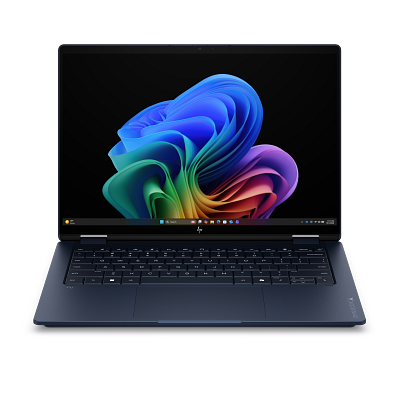
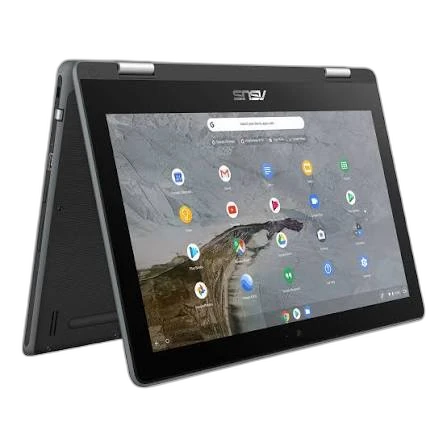
Choose OmniBook X if you need:
- Processor Model at Ryzen AI 7 (vs Intel Core M M3-6Y30 0.9GHz)
- Installed Memory at 16 GB (vs 4 GB)
- Storage Capacity at 512 GB (vs 64 GB)
laptopedia
Side-by-side specification comparison of two reference models
A full side-by-side comparison of reference models OmniBook X and Chromebook Flip within the same category.
Side-by-side specification comparison of two reference models
| Specification | OmniBook X | Chromebook Flip |
|---|---|---|
| Price | Not for sale | Not for sale |
| General | ||
| Brand | HP | ASUS |
| Product Family | OmniBook | Chromebook |
| Model | OmniBook X | Chromebook Flip |
| Launch Year | 2025 year | 2016 year |
| Form Factor | Clamshell | 2-in-1 Convertible |
| Laptop Category | Budget | 2-in-1 |
| Operating System | — | ChromeOS |
| Operating System Architecture | 64-bit | — |
| Processor | ||
| Processor Manufacturer | AMD | Intel |
| Processor Family | AMD Ryzen AI 7 | Intel Core m3 |
| Processor Model | Ryzen AI 7 | Intel Core M M3-6Y30 0.9GHz |
| Processor Generation | — | 6th Gen |
| CPU Architecture | x86-64 | x86-64 |
| CPU Process Node | — | 14 nm |
| CPU Cores | — | 2 cores |
| Efficiency Cores | — | 0 cores |
| CPU Threads | — | 4 threads |
| CPU Base Clock | — | 0.9 GHz |
| CPU Max Boost Clock | — | 2.2 GHz |
| L3 Cache | — | 4 MB |
| Processor Base Power | — | 4.5 W |
| AI / NPU | ||
| NPU | Yes | — |
| NPU Model | AMD Ryzen AI | — |
| Graphics | ||
| Graphics Type | Integrated | Integrated |
| GPU Manufacturer | AMD | Intel |
| GPU Model | — | Intel HD Graphics 515 |
| VRAM Capacity | 0 GB | 0 GB |
| VRAM Type | Shared system memory | Shared system memory |
| Memory | ||
| Installed Memory | 16 GB | 4 GB |
| Storage | ||
| Primary Storage Type | SSD | Flash Storage |
| Storage Capacity | 512 GB | 64 GB |
| Installed Storage Drives | 1 drives | 1 drives |
| Display | ||
| Display Size | — | 12.5 inch |
| Display Resolution | — | 1920 x 1080 |
| Resolution Class | — | FHD |
| Touchscreen | — | Yes |
| Aspect Ratio | — | 16:9 |
| Ports & Expansion | ||
| USB4 Port Count | — | 0 ports |
| Dimensions & Build | ||
| Weight | — | 1.2 kg |
OmniBook X and Chromebook Flip share specifications such as CPU Architecture (x86-64), Graphics Type (Integrated), VRAM Capacity (0 GB), VRAM Type (Shared system memory).
The main differences: Processor Model (OmniBook X: Ryzen AI 7, Chromebook Flip: Intel Core M M3-6Y30 0.9GHz); Installed Memory (OmniBook X: 16 GB, Chromebook Flip: 4 GB); Storage Capacity (OmniBook X: 512 GB, Chromebook Flip: 64 GB).
OmniBook X may suit users who need its differing values, while Chromebook Flip benefits those who need its paired strengths. Review the specs table above before deciding.