laptopedia

Side-by-side specification comparison of two reference models

⁦Compare Zenbook UX330UA-AH5Q vs Chromebook C731-C78G⁩

A full side-by-side comparison of reference models Zenbook UX330UA-AH5Q and Chromebook C731-C78G within the same category.

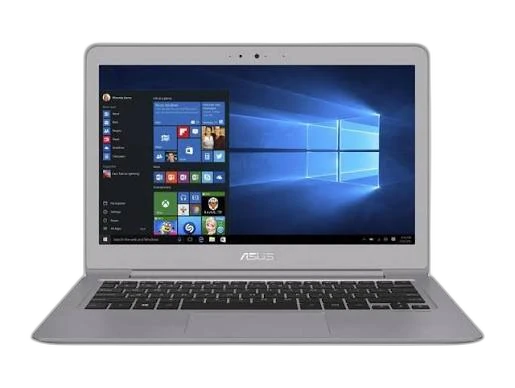
Reference model ⁦ASUS Zenbook UX330UA-AH5Q⁩

⁦Zenbook UX330UA-AH5Q⁩

ASUS

Not for sale

View model
Reference model ⁦Acer Chromebook C731-C78G⁩

⁦Chromebook C731-C78G⁩

Acer

Not for sale

View model

Specifications

Side-by-side specification comparison of two reference models

Specification ⁦Zenbook UX330UA-AH5Q⁩ ⁦Chromebook C731-C78G⁩
Price Not for sale Not for sale
General
Brand ASUS Acer
Product Family Zenbook Chromebook
Model ⁦Zenbook UX330UA-AH5Q⁩ ⁦Chromebook C731-C78G⁩
Model Number ⁦UX330UA-AH5Q⁩ ⁦C731-C78G⁩
Part Number / SKU — ⁦NX.GM8EK.002⁩
Launch Year ⁦2017 year⁩ ⁦2016 year⁩
Form Factor Clamshell Clamshell
Laptop Category Premium / Ultraportable Education / Budget
Color Quartz grey —
Operating System ⁦Windows 10⁩ ChromeOS
Operating System Architecture ⁦64-bit⁩ —
Processor
Processor Manufacturer Intel Intel
Processor Family ⁦Intel Core i5⁩ Intel Celeron
Processor Model ⁦Intel Core i5 7200U 2.5GHz⁩ ⁦Intel Celeron Dual Core N3060 1.6GHz⁩
Processor Generation ⁦7th Gen⁩ Braswell
CPU Architecture ⁦x86-64⁩ ⁦x86-64⁩
CPU Process Node ⁦14 nm⁩ ⁦14 nm⁩
CPU Cores ⁦2 cores⁩ ⁦2 cores⁩
Efficiency Cores ⁦0 cores⁩ ⁦0 cores⁩
CPU Threads ⁦4 threads⁩ ⁦2 threads⁩
CPU Base Clock ⁦2.5 GHz⁩ ⁦1.6 GHz⁩
CPU Max Boost Clock ⁦3.1 GHz⁩ ⁦2.48 GHz⁩
L2 Cache ⁦0.5 MB⁩ ⁦2 MB⁩
L3 Cache ⁦3 MB⁩ —
Processor Base Power ⁦15 W⁩ ⁦6 W⁩
CPU Manageability Technology Intel vPro: No —
AI / NPU
Platform AI Performance — ⁦0 TOPS⁩
Graphics
Graphics Type Integrated Integrated
GPU Manufacturer Intel Intel
GPU Model ⁦Intel HD Graphics 620⁩ ⁦Intel HD Graphics 400⁩
GPU Architecture ⁦Intel Gen9.5⁩ —
VRAM Capacity ⁦0 GB⁩ ⁦0 GB⁩
VRAM Type Shared system memory Shared system memory
GPU TGP ⁦15 W⁩ ⁦0 W⁩
GPU Boost Clock ⁦1000 MHz⁩ —
Maximum External Displays ⁦2 displays⁩ ⁦2 displays⁩
Maximum External Resolution ⁦4096 x 2304 @ 60 Hz⁩ ⁦3840 x 2160 @ 30 Hz⁩
Memory
Installed Memory ⁦8 GB⁩ ⁦4 GB⁩
Maximum Memory ⁦8 GB⁩ —
Memory Type ⁦DDR3L⁩ ⁦DDR3L SDRAM⁩
Memory Speed ⁦1866 MT/s⁩ ⁦1600 MT/s⁩
Memory Form Factor Onboard Onboard
Memory Slots ⁦0 slots⁩ —
Memory Slots Used ⁦0 slots⁩ —
Memory Upgradeable No No
Memory Channels Dual Single-channel
Storage
Primary Storage Type SSD Flash Storage
Storage Capacity ⁦256 GB⁩ ⁦32 GB⁩
Storage Interface NVMe PCIe ⁦eMMC 5.1⁩
Storage PCIe Generation ⁦PCIe 3.0⁩ —
Storage Form Factor ⁦M.2 2280⁩ Onboard
Installed Storage Drives ⁦1 drives⁩ ⁦1 drives⁩
Maximum Storage Drives ⁦1 drives⁩ ⁦1 drives⁩
M.2 Storage Slots ⁦1 slots⁩ ⁦0 slots⁩
RAID Support No RAID No
Card Reader Yes Yes
Card Reader Formats MMC, SD, SDHC, SDXC SD; SDHC; SDXC
Card Reader Standard UHS-I SDXC
Display
Display Size ⁦13.3 inch⁩ ⁦11.6 inch⁩
Display Resolution ⁦3200 x 1800⁩ ⁦1366 x 768⁩
Resolution Class QHD+ HD
Display Technology IPS LCD IPS LCD
Panel Type IPS IPS
Refresh Rate ⁦60 Hz⁩ ⁦60 Hz⁩
Display Brightness ⁦300 nits⁩ ⁦220 nits⁩
Color Depth ⁦8-bit⁩ —
Aspect Ratio 16:9 16:9
Display Finish Anti-glare Anti-glare
Adaptive Sync Technology — —
Viewing Angle ⁦178 horizontal / 178 vertical degree⁩ —
Camera & Biometrics
Webcam Resolution HD ⁦720p HD⁩
Webcam Frame Rate ⁦30 fps⁩ ⁦30 fps⁩
Fingerprint Reader Yes —
Fingerprint Reader Location Integrated near touchpad —
Camera Features Integrated HD webcam Fixed-focus RGB webcam
Audio
Speaker Configuration Stereo speakers Stereo speakers
Audio Technology ASUS SonicMaster; Harman Kardon —
Microphone Configuration Array microphone Integrated digital microphone
Audio Jack Yes Yes
Keyboard & Input
Keyboard Type Chiclet keyboard Compact keyboard
Keyboard Backlight Yes —
Spill-Resistant Keyboard — Yes
Touchpad Type Precision touchpad Multi-touch touchpad
Wireless & Networking
Wi-Fi Standard ⁦Wi-Fi 5⁩ ⁦Wi-Fi 5⁩
Wi-Fi IEEE Standard ⁦802.11a/b/g/n/ac⁩ ⁦IEEE 802.11ac⁩
Wi-Fi Bands ⁦2.4 GHz, 5 GHz⁩ ⁦2.4 GHz; 5 GHz⁩
Wi-Fi Spatial Streams ⁦2x2⁩ ⁦2x2⁩
Bluetooth Version 4.1 ⁦Bluetooth 4.0⁩
WWAN No —
Ports & Expansion
USB Type-A Port Count ⁦2 ports⁩ ⁦2 ports⁩
USB Type-A Specifications ⁦USB 3.0⁩ ⁦USB 3.0⁩
USB Type-C Port Count ⁦1 ports⁩ ⁦0 ports⁩
USB Type-C Specifications ⁦USB-C 3.0⁩ —
USB4 Port Count ⁦0 ports⁩ ⁦0 ports⁩
Thunderbolt Port Count ⁦0 ports⁩ ⁦0 ports⁩
HDMI Port Count ⁦1 ports⁩ ⁦1 ports⁩
HDMI Version Micro HDMI —
DisplayPort Output — —
RJ-45 Port Count ⁦0 ports⁩ ⁦0 ports⁩
3.5 mm Audio Combo Port Count ⁦1 ports⁩ ⁦1 ports⁩
SD Card Slot Count ⁦1 ports⁩ —
microSD Card Slot Count ⁦0 ports⁩ —
Smart Card Reader No —
Security Lock Slot — Yes
Internal PCIe Slots ⁦1× M.2 2280⁩ —
Battery & Power
Battery Capacity ⁦57 Wh⁩ ⁦45 Wh⁩
Battery Cells ⁦3 cells⁩ ⁦3 cells⁩
Battery Chemistry Li-ion Lithium-ion
Battery Life ⁦12 hours⁩ ⁦12 hours⁩
Battery Life Test Method Manufacturer mixed-use estimate —
Power Adapter ⁦45 W⁩ ⁦45 W⁩
Power Connector Barrel connector Barrel connector
Dimensions & Build
Width ⁦323 mm⁩ ⁦294 mm⁩
Depth ⁦221 mm⁩ ⁦204 mm⁩
Thickness ⁦13 mm⁩ ⁦19.2 mm⁩
Weight ⁦1.2 kg⁩ ⁦1.25 kg⁩
Chassis Material Aluminum Plastic
Lid Material Aluminum —
Base Material Aluminum —
Hinge Opening Angle ⁦135 degree⁩ ⁦360 degree⁩
MIL-STD Testing Not claimed —
IP Rating No IP rating Not rated
Security & Manageability
TPM ⁦Firmware TPM 2.0⁩ Firmware TPM
BIOS / UEFI Password Support Yes Yes
Drive Password Support Yes Yes
Secure Boot Yes Yes
Enterprise Manageability Consumer UEFI; no Intel vPro —
Smart Card Support No —
BIOS Recovery / Self-Healing ASUS recovery environment Standard BIOS recovery
Sensors
Hall Sensor — Yes
Certifications & Sustainability
RoHS Compliance Yes Yes
Recycled Materials Not claimed —
Environment & Warranty
Operating Temperature ⁦5 to 35 °C⁩ ⁦5–35 °C °C⁩
Operating Humidity ⁦20 to 80 non-condensing % RH⁩ ⁦20–80% RH, non-condensing % RH⁩
Storage Temperature ⁦-10 to 60 °C⁩ ⁦-20–60 °C °C⁩
Warranty ⁦2 years⁩ ⁦1 years⁩
Warranty Type Manufacturer warranty Limited warranty

Summary: Which Product Should You Choose?

Choose Zenbook UX330UA-AH5Q if you need:

  • Processor Model at ⁦Intel Core i5 7200U 2.5GHz⁩ (vs ⁦Intel Celeron Dual Core N3060 1.6GHz⁩)
  • GPU Model at ⁦Intel HD Graphics 620⁩ (vs ⁦Intel HD Graphics 400⁩)
  • Installed Memory at ⁦8 GB⁩ (vs ⁦4 GB⁩)
  • Storage Capacity at ⁦256 GB⁩ (vs ⁦32 GB⁩)

Choose Chromebook C731-C78G if you need:

  • Processor Model at ⁦Intel Celeron Dual Core N3060 1.6GHz⁩ (vs ⁦Intel Core i5 7200U 2.5GHz⁩)
  • GPU Model at ⁦Intel HD Graphics 400⁩ (vs ⁦Intel HD Graphics 620⁩)
  • Installed Memory at ⁦4 GB⁩ (vs ⁦8 GB⁩)
  • Storage Capacity at ⁦32 GB⁩ (vs ⁦256 GB⁩)

Overall, choosing between Zenbook UX330UA-AH5Q and Chromebook C731-C78G depends on your use case and which specs matter most. They share Form Factor (Clamshell) and Processor Manufacturer (Intel). They differ mainly on Processor Model. Review the differences above, choose by your priorities, and confirm availability before buying.

What is the difference between Zenbook UX330UA-AH5Q and Chromebook C731-C78G?

Zenbook UX330UA-AH5Q and Chromebook C731-C78G share specifications such as Form Factor (Clamshell), Processor Manufacturer (Intel), CPU Architecture (⁦x86-64⁩), CPU Process Node (⁦14 nm⁩).

The main differences: Processor Model (Zenbook UX330UA-AH5Q: ⁦Intel Core i5 7200U 2.5GHz⁩, Chromebook C731-C78G: ⁦Intel Celeron Dual Core N3060 1.6GHz⁩); GPU Model (Zenbook UX330UA-AH5Q: ⁦Intel HD Graphics 620⁩, Chromebook C731-C78G: ⁦Intel HD Graphics 400⁩); Installed Memory (Zenbook UX330UA-AH5Q: ⁦8 GB⁩, Chromebook C731-C78G: ⁦4 GB⁩); Storage Capacity (Zenbook UX330UA-AH5Q: ⁦256 GB⁩, Chromebook C731-C78G: ⁦32 GB⁩).

Zenbook UX330UA-AH5Q may suit users who need its differing values, while Chromebook C731-C78G benefits those who need its paired strengths. Review the specs table above before deciding.